
My Bag
Know what every disc does
Your discs, their flight numbers and the right set for every course, all in one place.
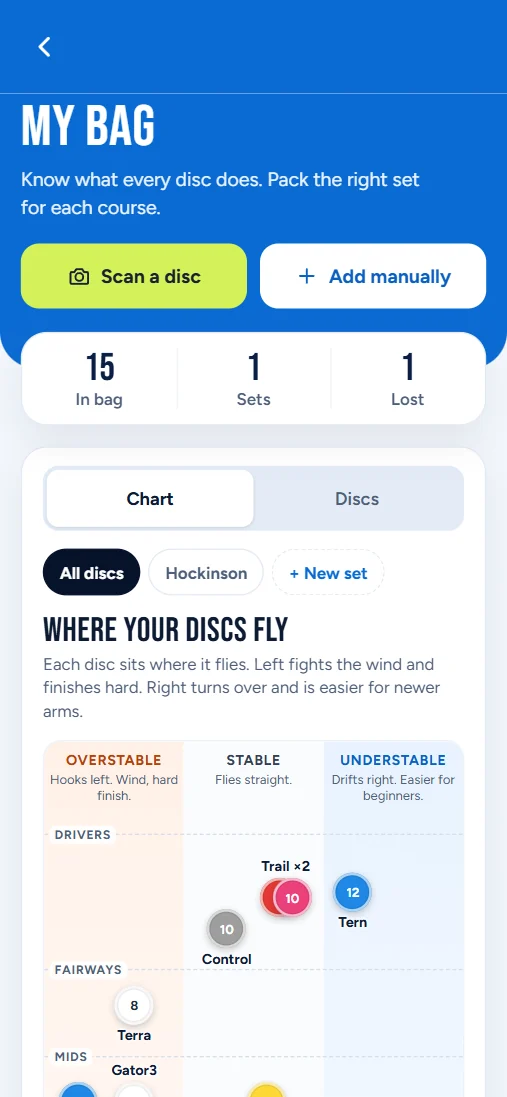
Scan or add a disc
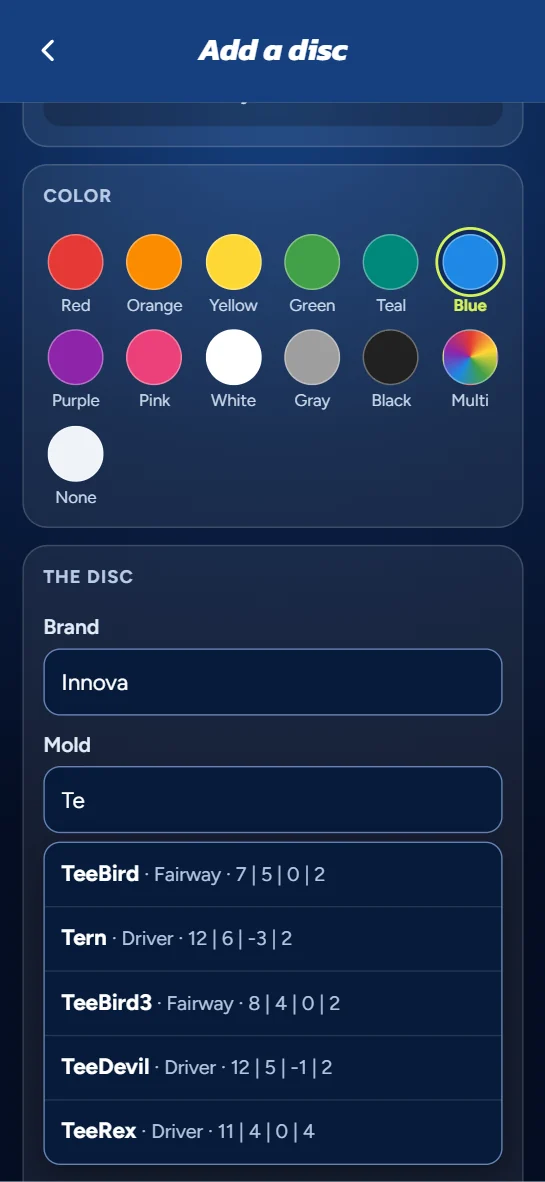
Point your camera at a disc and LetsPlayDiscGolf fills in the brand, mold, plastic, color and flight numbers. Check them, add the weight if you know it, and save.
Rather type it? Suggestions pop up as you go.
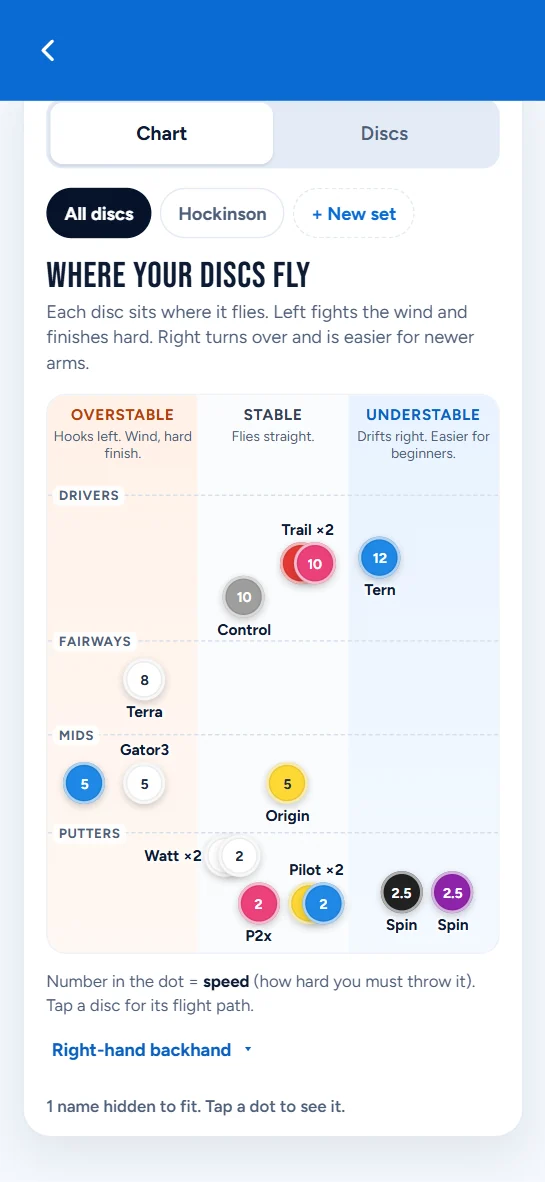
Where your discs fly
One chart shows every disc in your bag by speed and stability: overstable, stable or understable.
It flips for your throwing hand and style, so lefties and forehand throwers see their own picture.
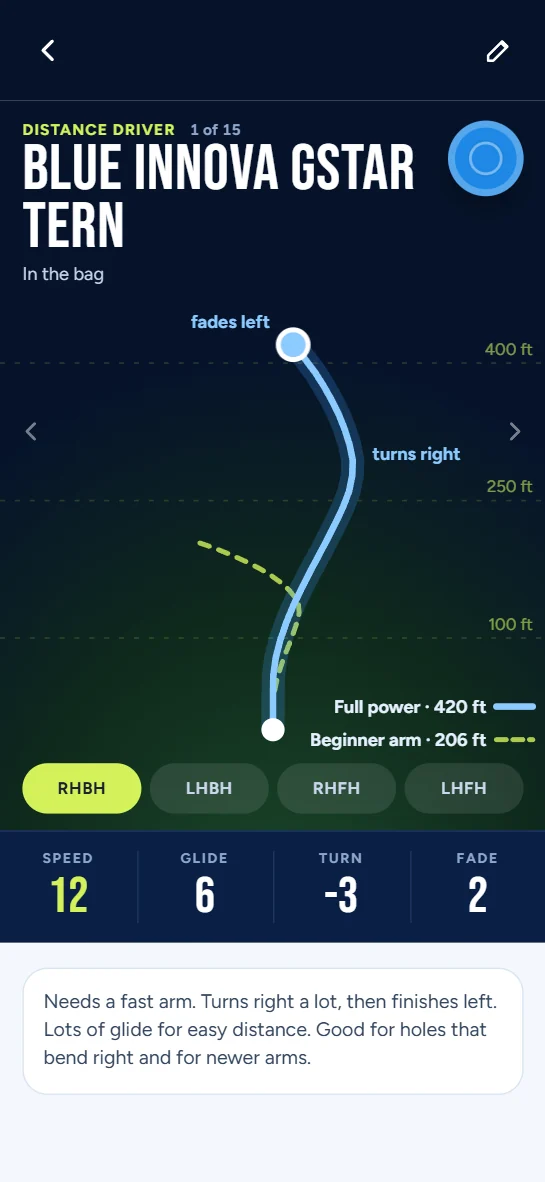
Every disc's flight
Open a disc to see its flight path from the tee: how it turns, how it fades and how far it goes, with a second line for a beginner arm.
Swipe to move from one disc to the next.
Sets and a wishlist
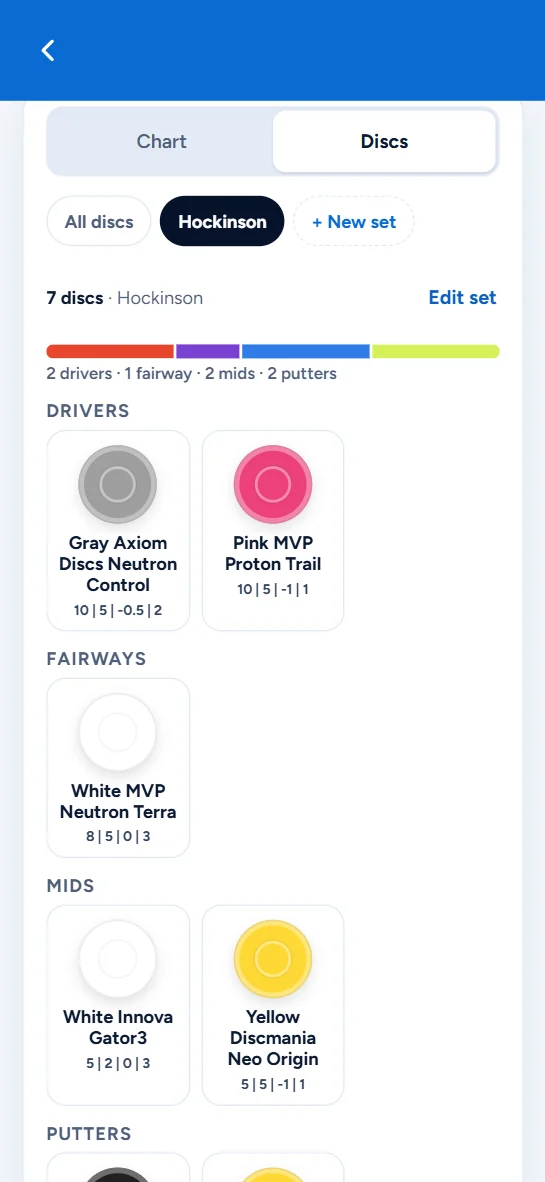
Pack a set for each course, and LetsPlayDiscGolf shows it on your round page when you play there.
Spot a disc other players throw on a hole? Add it to your wishlist and find it at Disc Junction.
Good to know
- Friends can see your bag. Players who aren't your friends can't.
- Your disc photos and the number on a disc are only ever shown to you.
- Lose a disc from your bag? Report it lost and the details fill themselves in.
Also in LetsPlayDiscGolf
Be there when it opens
LetsPlayDiscGolf is almost ready. Leave your email and we'll let you know the day it opens.
We'll email you once when LetsPlayDiscGolf opens. No spam, and we never share your email.